#1 IPTV UK Service provider

Installation guide fro the best IPTV Uk- The IPTV Service Provider for 2026

Get The best IPTV Service for UK and Enjoy Unlimited Entertainment with very affordable pricing plansย 

Compatible With All Your Devices

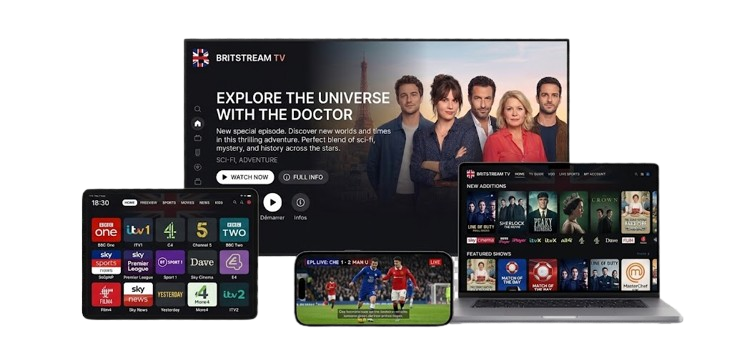
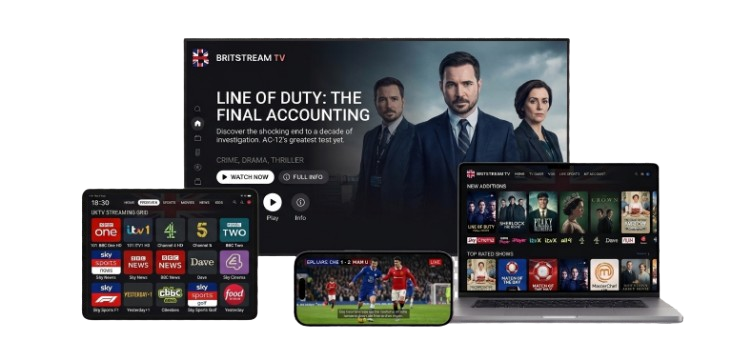
Our IPTV UK service is compatible with all your devices, Smart TVs, Android Box and SmartPhones, Apple Devices, Amazon Fire Stick, KODI, and MAG Box โ€” we literally support all kinds of devices.

๐Ÿ“บ Smart TV
๐Ÿ“ฑ Android
Apple
๐Ÿ”ฅ Fire Stick
๐ŸŽฎ KODI
๐Ÿ“ฆ MAG Box
British IPTV

IPTV Setup Tutorials

๐Ÿ‘‡ Choose your device below and scroll down to see the installation guide

โš ๏ธ Important:
We sell the IPTV subscription only. The 8k Player VIP app is free on Android/Firestick, but you can use any player you want.
Other third-party players like Hot Player, iMPlayer, or IBO Player may require you to buy their own paid license after a free trial.
Example: Your subscription is the SIM card; you still need a phone (the player app) to use it.


๐Ÿ”ฅ Firestick & Android TV Installation

1

On your device, go to Searchand look for Downloader.

2

Download and install the Downloader app.

3

Open Downloader, and enter this code in the search bar: 6883465

4

Wait for the download to finish, then tap Install.

5

Open the app, then add a playlist or scan the QR Code with your phone.

6

Enter your login details and click Add Playlist(or Sign in to TV if you used the QR Code).

Troubleshooting Tips

Check your internet connection. A stable connection of at least 15โ€“20 Mbpsis recommended for HD streaming.

Make sure your Xtream Codesare entered correctly. These details are case-sensitive.

Update your IPTV player app to the latest versionto avoid playback and loading issues.

Restart your device and also reboot your router/modem.

Our service comes with a built-in VPN. Please disable third-party VPN apps to avoid conflicts.

Clear the cacheof your IPTV player app, then reopen it and test again.

Internet providers restricting traffic are bypassed automatically by our Anti-Block VPN. No extra setup is needed!

The Perfect IPTV Subscription UKย - IPTV UK ๐Ÿ‡ฌ๐Ÿ‡ง

Unlock an unlimited world of entertainment with our exciting IPTV UK! Enjoy seamless access to thousands of global channels and a giant library of captivating movies and series.

Why Choosing Televo IPTV UK?

Key Features

Stream UK IPTV in 4K | VPN Included

No Buffering โ€“ Fast, Stable Streaming

EPG & TV Guide Included

UK/US/EU/Asia Channels โ€“ All in One

45,000+ Worldwide Channels

200K+ Movies & Series in UHD/4K

Watch All Football in 4K/UHD

Weekly Updates: New Movies & Series!

Request Channels & VOD Anytime!

Watch All PPV Live in HD/4K!

Works on All Devices โ€“ Watch Anywhere!

4-Day Catch-Up โ€“ No Missed Shows!

7-Day Money-Back Guarantee

24/7 Support โ€“ Weโ€™re Always Here for You!

IPTV UK FAQ

Find quick answers about IPTV UK and IPTV streaming, including compatibility, setup, quality, and common issues.

+What is IPTV UK?

IPTV UK refers to watching live TV channels and on-demand content over the internet instead of traditional satellite or cable connections. IPTV services can provide access to live channels, movies, and series on supported devices.

+How does IPTV work?

IPTV streams TV content using your internet connection. After you subscribe, you typically receive login details (or a playlist) that you add to a compatible IPTV app. The app loads the channel list, EPG, and on-demand library (if available).

+What internet speed do I need for IPTV in the UK?
  • HD:usually 10โ€“20 Mbps recommended
  • 4K:usually 25โ€“50+ Mbps recommended

For the best IPTV UK experience, use a stable connection (Ethernet when possible) and avoid Wi-Fi congestion during peak hours.

+Which devices support IPTV UK?

Most IPTV services work across popular devices, including:

  • Smart TVs (Samsung / LG with supported apps)
  • Android TV & Android TV boxes
  • Amazon Firestick / Fire TV
  • Android phones & tablets
  • iPhone / iPad
  • Windows & Mac
+What is an EPG on IPTV?

An EPG(Electronic Program Guide) is the TV guide inside your IPTV app. It shows whatโ€™s currently playing and whatโ€™s next, helping you browse channels and schedule your viewing.

+Why does IPTV buffer and how can I fix it?

Buffering is usually caused by connection or device limitations. Common fixes include:

  • Restart your router and device
  • Switch to Ethernet or a stronger Wi-Fi network
  • Close other apps using bandwidth
  • Lower the stream quality if available
  • Clear IPTV app cache (Android/Firestick)
  • Try another IPTV player app
+Do I need a VPN for IPTV in the UK?

Many users choose a VPN for privacy and to reduce ISP throttling during streaming. A VPN can also help if your internet provider blocks or restricts access to certain websites.

If your subscription includes built-in VPN protection, you can stream with an added layer of security.

+Can I use IPTV on multiple devices?

This depends on your subscription and how many connections are included. Some plans allow one active connection at a time, while others support multiple simultaneous connections for households.

+What IPTV app should I use?

The best IPTV app depends on your device. Popular IPTV player apps typically support playlists or login credentials and may include features like EPG, favorites, and VOD categories. Choose a reputable IPTV player that matches your device and needs.

+Is IPTV legal in the UK?

IPTV technology itself is legal. Legality depends on the content source and whether proper rights and permissions exist for the streams being distributed. Always choose services that comply with applicable laws and content licensing rules.

+How do I set up IPTV UK quickly?

General setup steps are usually:

  • Choose your IPTV subscription plan
  • Install a compatible IPTV app on your device
  • Enter your login details or playlist info
  • Load channels/EPG and start streaming

If you need help, reach out to support for device-specific instructions.

+Whatโ€™s the difference between Live TV and VOD on IPTV?

Live TVis real-time streaming of channels (sports, news, entertainment). VOD(Video On Demand) is a library of movies and series you can play anytime.

+Can I watch UK sports with IPTV UK?

Many IPTV UK packages include sports channels and events depending on the service and plan. Availability varies by provider and channel lineup.

๐Ÿ”ฅ Firestick & Android TV Installation

1

On your device, go to Searchand look for Downloader.

2

Download and install the Downloader app.

3

Open Downloader, and enter this code in the search bar: 5870255

4

Wait for the download to finish, then tap Install.

5

Open the app, then add a playlist or scan the QR Code with your phone.

6

Enter your login details and click Add Playlist(or Sign in to TV if you used the QR Code).

Note:Change Televo 1under service to Televo 2or 3if the main server isn't working.

Android TV / Box Installation

The steps for Android TV (Chromecast, Shield, Sony) are identical to Firestick.

ย 
1

Go to the Google Play Store and search for Downloader.

2

Download and install the Downloader app.

3

Open Downloader, and enter this code in the search bar: 6883465

4

Wait for the download to finish, then tap Install.

5

Open the 8k Player VIP app and enter your login details (Username & Password).

Note:Change Televo 1under service to Televo 2or 3if the main server isn't working.